How Different Tooth Designs Affect Rotary Files For Metal Performance
Oct 09, 2026
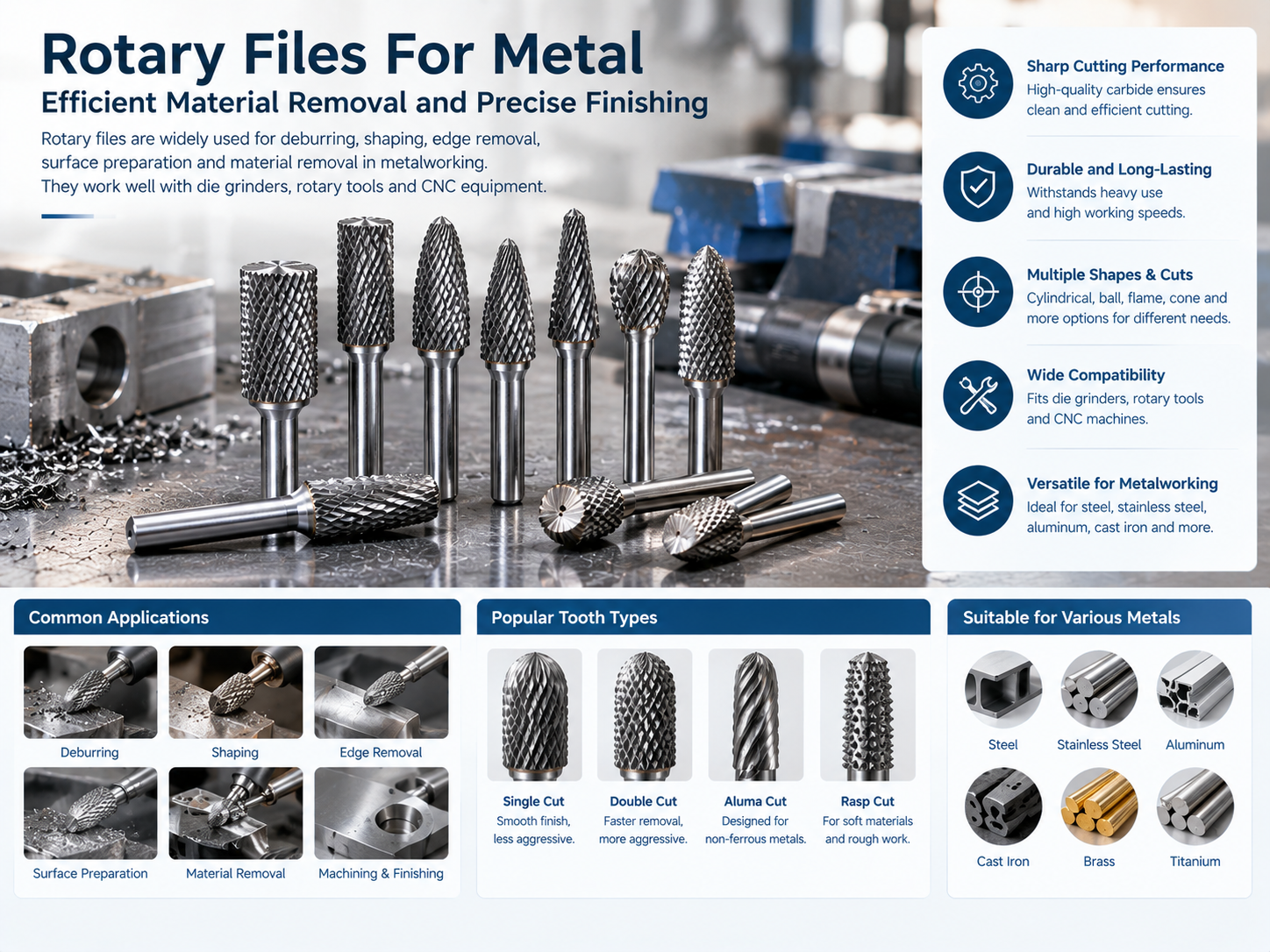
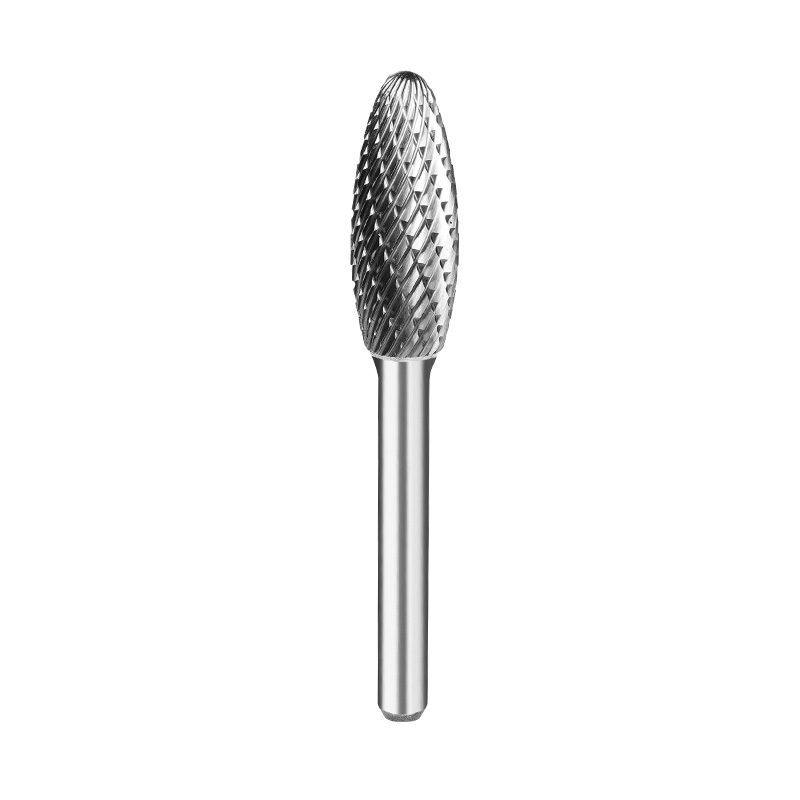
Rotary files are commonly used for deburring, shaping, edge removal, surface preparation, and general metal removal. You’ll find them on die grinders, rotary tools, and CNC equipment, working on materials such as steel, stainless steel, cast iron, aluminum, and other alloys.
For manufacturers, distributors, tool wholesalers, and machining companies, the performance of Rotary Files For Metal is closely tied to tooth design. Two files may have the same diameter and shape but still feel very different in actual use if their tooth patterns are not the same.
Tooth count, flute shape, spacing, cutting pattern, and chip clearance all affect how quickly a file removes material, how smoothly it cuts, how much heat builds up, and how long the cutting edges stay usable.
Knowing these differences makes it easier to match a rotary file with the material and the job.
Why Tooth Design Matters in Metal Rotary Files
The teeth are the part of the rotary file that actually cuts the workpiece. As the file spins, each tooth takes away a small amount of metal.
That simple action is affected by tooth geometry. It can change:
Material removal rate
Cutting smoothness
Chip size
Heat generation
Surface finish
Vibration
Tool wear
Operator control
A coarse tooth pattern usually takes off more material in each pass. A finer pattern gives the operator more control and can leave a cleaner surface.
There isn’t one tooth design that fits every metalworking job. The workpiece and the operation both matter.
What Is the Difference Between Single-Cut and Double-Cut Teeth?
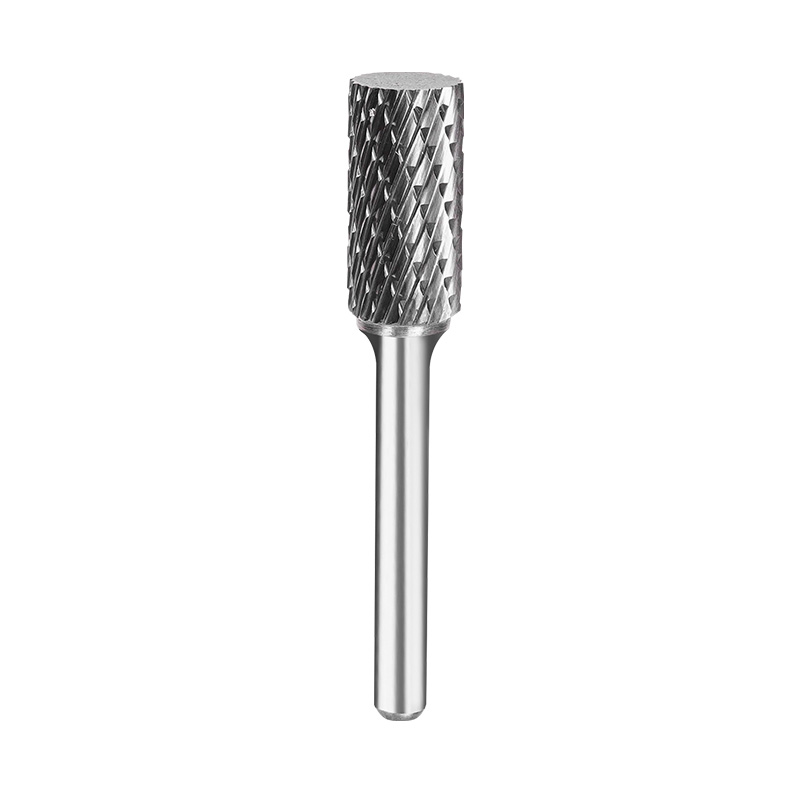
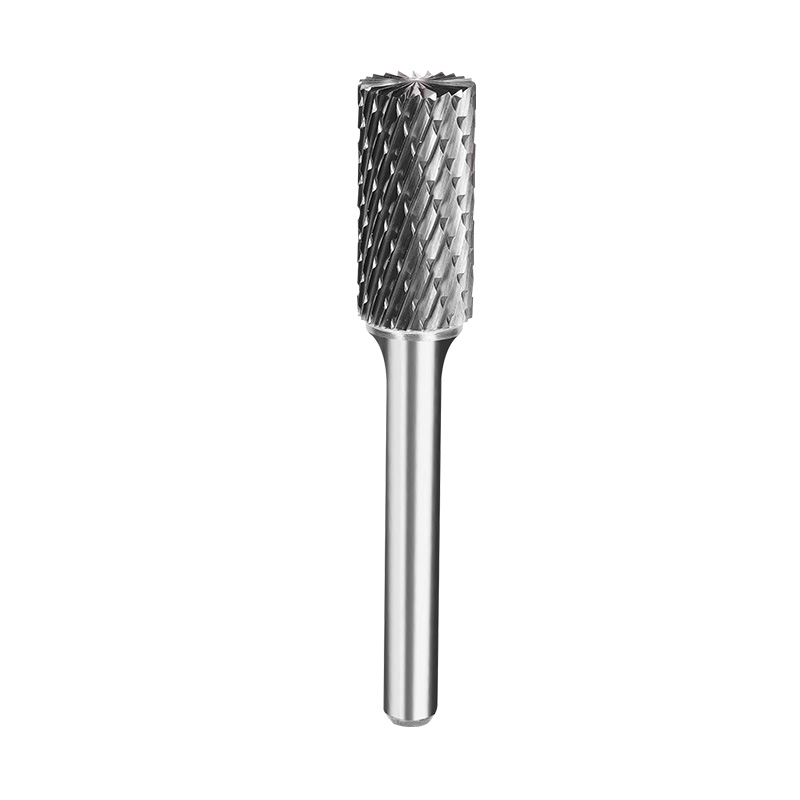
Single-cut and double-cut are two common rotary file configurations.
A single-cut file generally has continuous flutes running across the working surface. It can give a direct, relatively open cutting action and may produce longer chips.
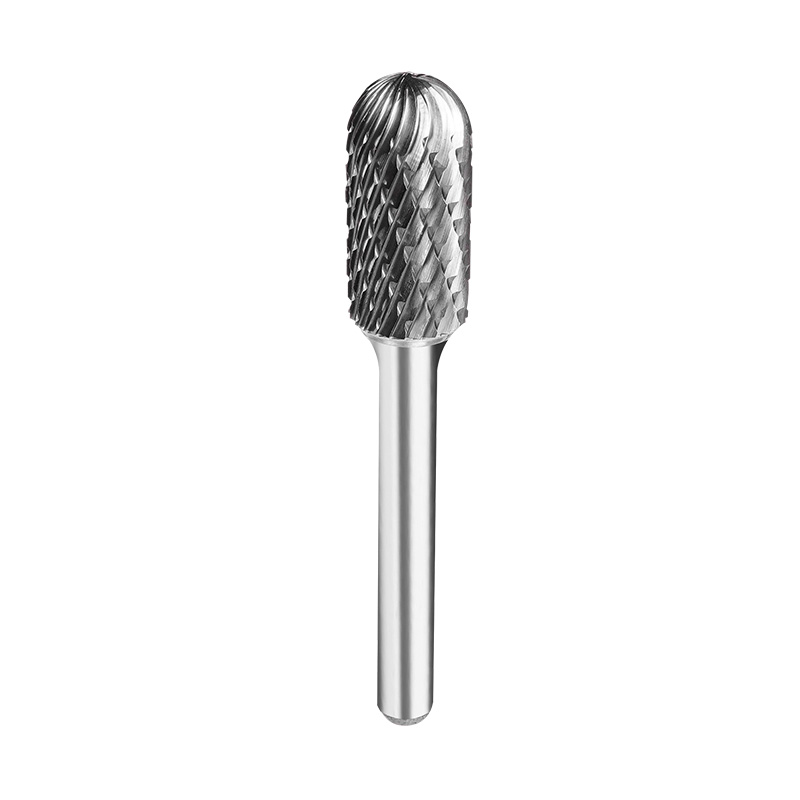
A double-cut file has intersecting rows of teeth. This creates more individual cutting points and tends to break chips into smaller pieces. It can also feel easier to control during general deburring and shaping.
Tooth design
Typical cutting behavior
Common use
Single cut
More continuous cutting action
Suitable stock removal
Double cut
Smaller chips and controlled cutting
General deburring and shaping
Fine tooth
Lighter cutting action
Finishing and detail work
Coarse tooth
More aggressive removal
Rough shaping and heavy stock removal
The actual result still depends on the metal, tool speed, file geometry, and how much pressure the operator applies.
Tooth Count Changes Cutting Behavior
Tooth count affects how often the cutting edges contact the workpiece during rotation.
A file with fewer, coarser teeth has larger spaces between the cutting edges. That extra space can help when a lot of material needs to come off quickly.
A higher tooth count means smaller cutting intervals. The file may feel smoother and can be easier to use on small features or jobs where the operator needs more control.
There is a trade-off, though. More teeth also mean less open space for chips. With soft metals or materials that produce long, sticky chips, chip clearance becomes a bigger concern.
So when comparing rotary files, don’t look at tooth count by itself. Flute depth and the workpiece material should be considered too.
Tooth Pitch Influences Chip Size and Feed Behavior
Tooth pitch is basically the distance between adjacent cutting teeth.
A coarse pitch gives chips more room to move. A fine pitch puts more cutting points across the same working area.
That difference changes how the tool behaves at a particular feed rate.
Tooth pitch
General characteristic
Suitable consideration
Coarse
Larger chip space
Heavy material removal
Medium
Balanced cutting and chip clearance
General metalworking
Fine
Smaller chip formation
Detail work and finishing
The metal itself makes a difference here. Aluminum, mild steel, stainless steel, and hardened materials can produce very different chips. A tooth pattern that works nicely on one material may load up more quickly on another.
Aluminum Often Needs a Different Tooth Structure
Aluminum is softer than many steels, but that doesn’t automatically make it easy to machine. It can produce long, sticky chips that pack into the spaces between teeth.
If the tooth pattern is too fine or doesn’t provide enough chip clearance, the file can start loading up. Cutting efficiency drops, and heat may build up around the cutting area.
For aluminum and other non-ferrous metals, rotary file manufacturers may use larger chip spaces or specific tooth geometries designed for this type of material.
The practical goal is simple: keep the chips moving and prevent the cutting surface from becoming clogged.
When ordering files, buyers should tell the supplier the actual material or alloy being machined. Saying only “aluminum” or “non-ferrous metal” may not give enough information for a useful recommendation.
Double-Cut Designs Can Help With Deburring
Deburring usually involves removing relatively small amounts of material from edges, holes, welds, or machined surfaces.
The intersecting teeth on a double-cut file create multiple cutting edges and usually produce smaller chips. This can make the file easier to control during routine cleanup work.
Typical uses include:
Removing sharp edges
Cleaning weld areas
Smoothing rough transitions
Preparing parts for assembly
Removing small amounts of excess material
For maintenance shops and general machining work, double-cut files can be a practical option when both material removal and control matter.
Still, the tooth pattern is only part of the equation. File shape and operating speed can change the result, so testing a sample on the actual workpiece is often worthwhile.
Coarse Teeth Are Useful for Heavy Material Removal
When there is a lot of excess metal to remove, a coarse tooth design can save time.
The larger spaces between teeth provide room for chips and allow the file to take a more aggressive cut. This can be useful for castings, weld buildup, rough shaping, and similar jobs.
The downside is the surface left behind. Coarse teeth can produce a rougher finish.
In production work, it can make sense to use a coarse file for the initial shaping and then switch to a finer file for the next stage. One tool does the heavy work, while another handles the cleaner finishing pass.
Fine Teeth Support More Controlled Finishing
Fine-tooth files remove smaller amounts of material with each cutting edge. They are useful when the job calls for more control and less aggressive stock removal.
Typical applications include:
Fine deburring
Edge blending
Detail work
Small-radius correction
Final surface preparation
They can also help when an operator needs to make a small adjustment without taking away too much material in one pass.
For small parts and detailed areas, that extra control can be more useful than simply chasing a higher removal rate.
Tooth Geometry Affects Heat Generation
Heat is something metalworking buyers should keep an eye on when evaluating rotary file performance.
A file can run hot because of high cutting forces, excessive speed, too much pressure, dull cutting edges, or poor chip removal.
Tooth geometry plays a role because it affects how cutting forces are distributed and how easily chips leave the cutting zone.
A well-matched tooth pattern can reduce unnecessary rubbing between the tool and the workpiece. But tooth design isn’t a magic fix. Speed, feed pressure, tool condition, and material hardness still matter.
If a file gets unusually hot, it’s worth checking the whole setup instead of immediately blaming the tooth pattern.
Tooth Geometry Also Influences Surface Finish
A coarse cutting pattern can leave noticeable marks on the workpiece. That may be completely acceptable during rough shaping, but it can be an issue when the surface will later be painted, coated, polished, or fitted against another component.
Finer tooth patterns generally allow more controlled cutting.
Desired result
Tooth design direction
Fast stock removal
Coarse or aggressive tooth pattern
General deburring
Medium or double-cut pattern
Detail shaping
Fine-tooth configuration
Surface preparation
Finer, controlled cutting pattern
Using different files for different stages can make the overall process more practical and can keep a finishing tool from being used for heavy stock removal.
Tooth Configuration Needs to Match the Metal Hardness
Hardness has a direct effect on cutting resistance and tooth wear.
Hard steels and hardened components put more stress on cutting edges than softer metals. Tungsten carbide is widely used for industrial rotary files because it offers high hardness and wear resistance, but carbide alone doesn’t determine performance.
Buyers should also look at:
Tooth strength
Cutting-edge geometry
Tool diameter
Operating speed
Vibration control
Pushing too hard can damage cutting edges even when the file itself is designed for hard materials. A suitable tooth design still needs suitable operating conditions.
Tooth Arrangement Can Affect Tool Control
Aggressive teeth can remove material quickly, but there is another side to that. If a cutting edge catches the workpiece, the tool may react suddenly.
That matters with hand-held rotary tools, especially when working on thin sections, small parts, or curved areas.
A more moderate tooth pattern may provide a steadier cutting feel during general deburring and shaping. Operators can usually make smaller adjustments without the tool trying to pull into the workpiece.
For production environments, this kind of control is worth considering alongside raw cutting speed.
File Shape and Tooth Design Should Be Considered Together
Tooth design doesn’t work independently from file shape.
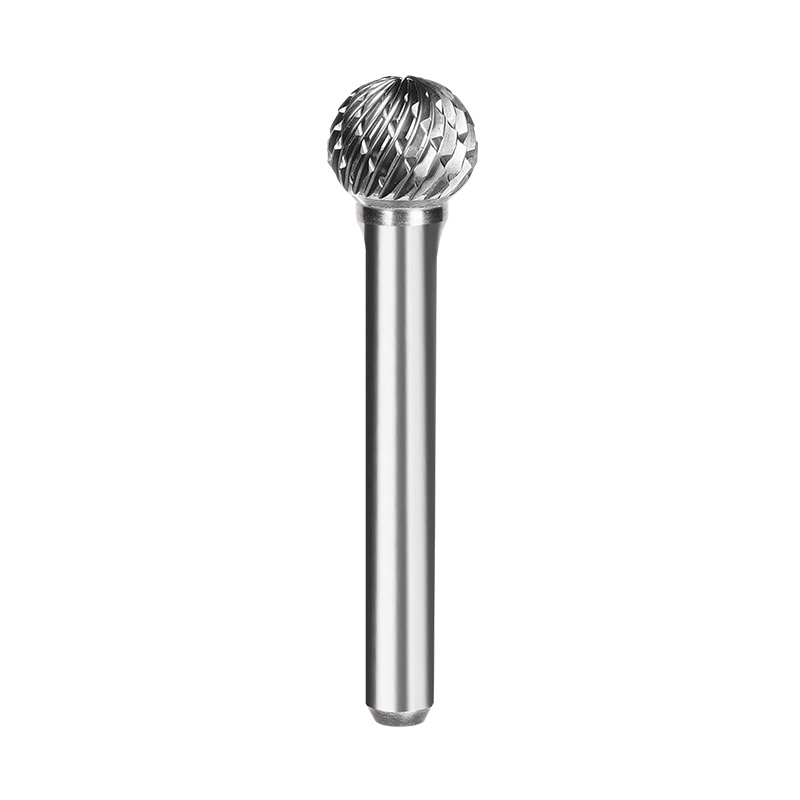
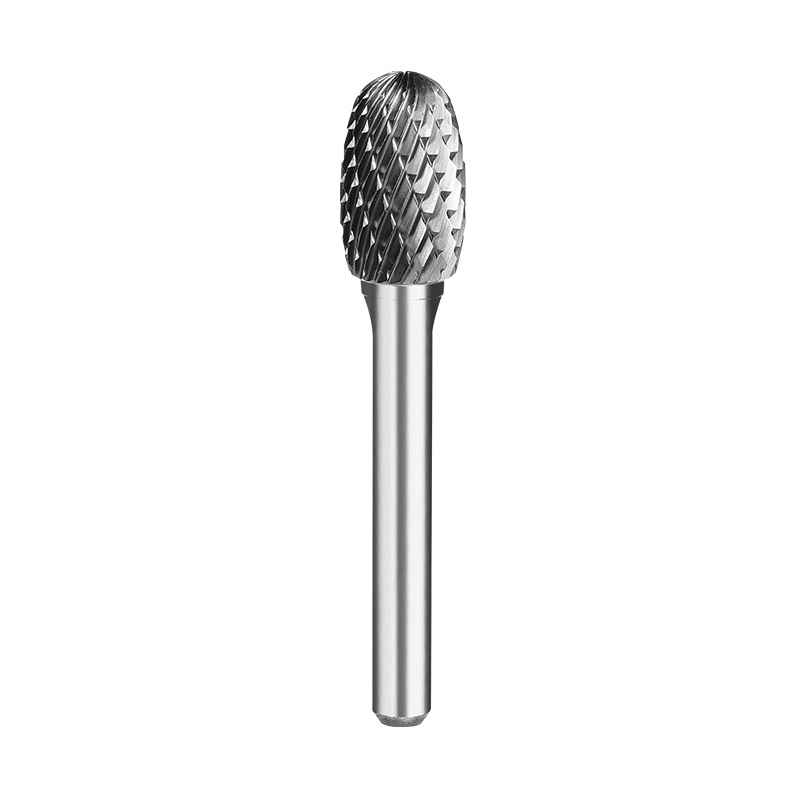
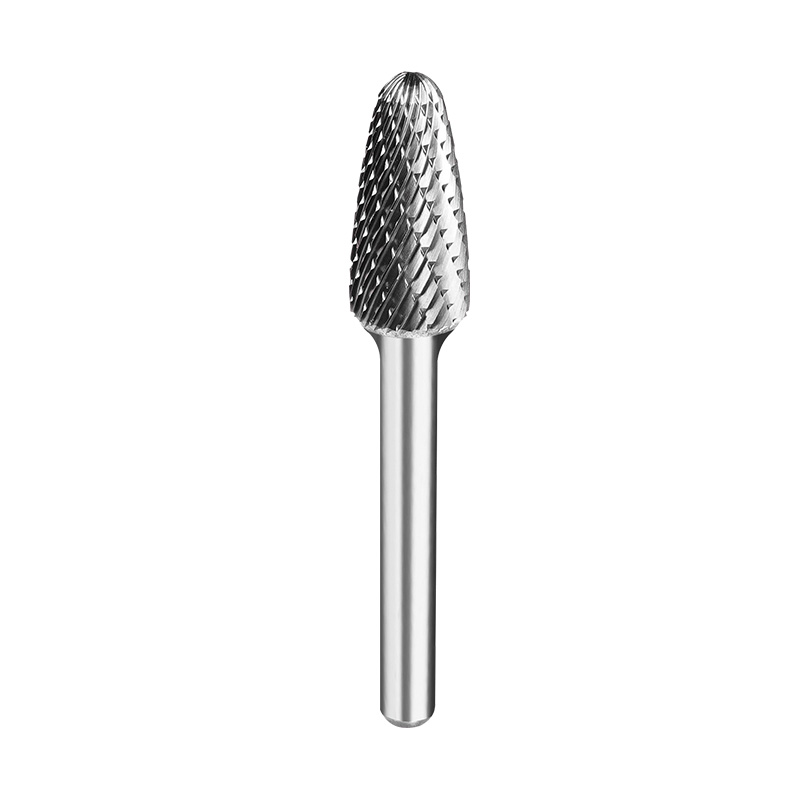
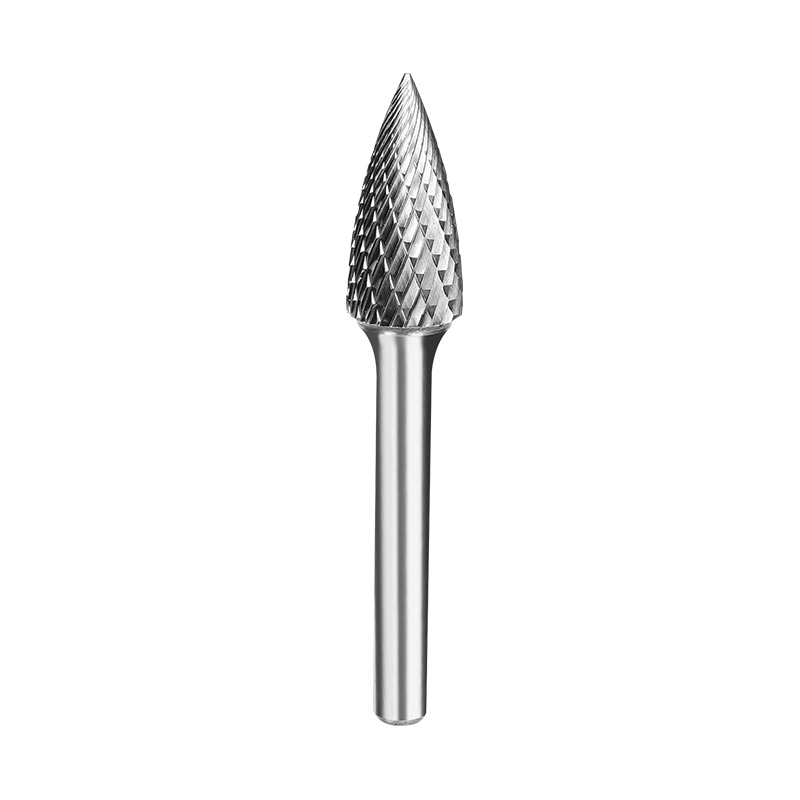
Common rotary file shapes include:
Cylindrical
Ball
Tree
Oval
Flame
Cone
Inverted cone
The shape determines where the tool can reach, while the tooth pattern affects how it removes material.
A flame-shaped file, for example, can be useful around curved surfaces and narrow grooves. A cylindrical file may be easier to use on straight edges or broader surfaces.
The same file shape can also be produced with different tooth configurations, depending on the material and intended cutting work.
How Tooth Design Relates to Different Applications
Different jobs place different demands on the cutting teeth.
Application
Tooth design consideration
Heavy weld removal
Coarse, durable cutting pattern
General deburring
Double-cut or medium tooth design
Steel shaping
Medium to coarse teeth
Aluminum work
Larger chip spaces or non-ferrous design
Precision detail work
Fine tooth pattern
Surface preparation
Controlled, finer cutting action
Cast iron cleanup
Geometry suited to abrasive chips
These are general guidelines, not fixed rules. The actual material, hardness, tool speed, and workpiece shape should all be considered before choosing the final specification.
Tool Speed Still Matters After Choosing the Tooth Design
A suitable tooth pattern can still perform poorly if the RPM is wrong.
Rotary files normally operate at high rotational speeds, and the recommended RPM depends on file diameter, material, and application.
There is an easy detail to overlook here: as the file diameter increases, its peripheral speed also increases at the same RPM. Larger files may therefore need a lower rotational speed.
Buyers should follow the manufacturer's recommended speed range and stay below the rated RPM of the tool.
Tooth design, feed pressure, and speed should be treated as parts of the same cutting setup.
Manufacturing Quality Affects Tooth Performance
Tooth geometry only works as intended when the teeth are produced consistently.
Important manufacturing details can include:
Tooth depth
Flute spacing
Tooth angle
Cutting-edge sharpness
Overall diameter
Concentricity
Surface condition
Small inconsistencies can lead to uneven cutting, vibration, or differences in tool life between batches.
For larger B2B orders, quality checks may include dimensional inspection, tooth inspection, runout testing, and actual cutting tests. This matters even more for private-label or OEM programs where customers expect tools from different production batches to behave similarly.
What Should Buyers Ask a Rotary File Manufacturer?
Before ordering Rotary Files For Metal, buyers should give the manufacturer enough information about the application.
Useful questions include:
Which metal will be machined?
What is the workpiece hardness?
Is the priority rough stock removal or finishing?
Which tooth pattern is recommended?
What file shape is required?
What diameter range is available?
What RPM is recommended?
What service life can be expected?
Can the tooth geometry be customized?
What quality inspections are performed?
For OEM and private-label orders, buyers may also need custom markings, packaging, coatings, or mixed product sets.
A Practical Tooth Design Selection Guide
A simple way to narrow down the options is to start with the actual job.
For heavy stock removal: consider a coarse tooth design with enough chip space.
For general deburring: a double-cut or medium-tooth configuration can offer a useful balance of control and material removal.
For fine shaping: a finer tooth structure is usually more suitable.
For aluminum: look for a design that provides good chip evacuation and helps reduce loading.
For hardened steel: pay attention to carbide quality, tooth strength, geometry, and operating speed.
For detail work: match the tooth pattern with a file shape that can reach the target area without making control difficult.
Choosing Rotary Files Based on the Complete Cutting Job
Different tooth designs can change how Rotary Files For Metal behave during actual machining. Tooth count, pitch, flute space, cutting pattern, and edge geometry all have an effect on chip formation, material removal, heat, vibration, and surface finish.
The workpiece should usually be the starting point. A file used for heavy weld removal does not need the same tooth structure as one used for fine deburring. Aluminum, stainless steel, cast iron, and hardened steel may also require different approaches.
A capable manufacturer should be able to provide tooth specifications, recommended operating parameters, and application guidance. From there, sample testing can show whether the selected design actually performs well on the intended material.
Making Tooth Design Part of the Tool Selection Process
When buying a rotary file, tooth design is only one part of the specification, but it is an important one. File shape, carbide material, diameter, tooth pattern, RPM, and workpiece hardness all interact during cutting.
For wholesalers, distributors, and industrial users, understanding these differences makes it easier to build a product range for different metalworking jobs. It also gives buyers better questions to ask before placing a large order.
In the end, a rotary file should be selected around the actual cutting job, not just its size or appearance. A small change in tooth design can make a noticeable difference once the tool is put to work.

 English
 Español
 Inquiry